

You’re at the far end of Aisle 12, your scanner freezes, and a routine inventory check suddenly turns into a waiting game. While lag feels like a minor annoyance, industry data reveals that a five-second delay per scan easily costs facilities thousands of dollars in lost annual productivity. Your devices aren’t broken; they are simply starving on an inadequate wireless network.
Running a massive distribution centre with the logic used for a home office guarantees failure. Consumer routers focus purely on coverage—stretching a weak signal across an empty space—but reliable warehouse WiFi demands deep capacity to juggle dozens of fast-moving forklifts and concurrent system requests. Just because a tablet shows full bars doesn’t mean the hardware can actually handle heavy operational traffic.
Towering metal racks and dense pallets of liquid act as invisible walls that cause severe signal interference. Physical barriers block the signal, creating heavy RF shadows (known as signal attenuation) where scanners instantly disconnect. Beating these daily obstacles requires industrial hardware strategically placed to push past the clutter.
Why Your Warehouse is a Graveyard for Standard Wi-Fi Signals
Does your scanner constantly drop connection right when you step into an aisle? A warehouse is built out of materials that actively block wireless signals. Think of your WiFi as a lightbulb. When that light hits solid objects, it creates dark spots called RF shadows (Radio Frequency shadows) where devices simply disconnect.
To understand why, look at the top 3 physical obstacles:
- Metal Racking: Steel shelves act like mirrors, bouncing waves away and causing severe signal interference from metal racking systems.
- High Ceilings: Extreme height requires specialised directional antennas for high-ceiling environments to focus the connection downward to the floor.
- Inventory Density: Products cause “signal absorption.” Liquids and paper act like sponges, soaking up the WiFi before it ever reaches your forklift.
Empty racks perform drastically differently than fully loaded shelves. Any reliable industrial WLAN performance optimisation guide emphasises designing networks for your heaviest inventory days. Pallets of bottled water will drain your coverage much faster than empty boxes, forcing your scanners’ batteries to work harder just to stay online.
Recognising these physical roadblocks is the crucial first step to eliminating dead zones. To truly fix the problem, you must map out exactly where these shadows fall.
Designing the Light Path: Predictive RF Heat Mapping vs Physical Site Surveys
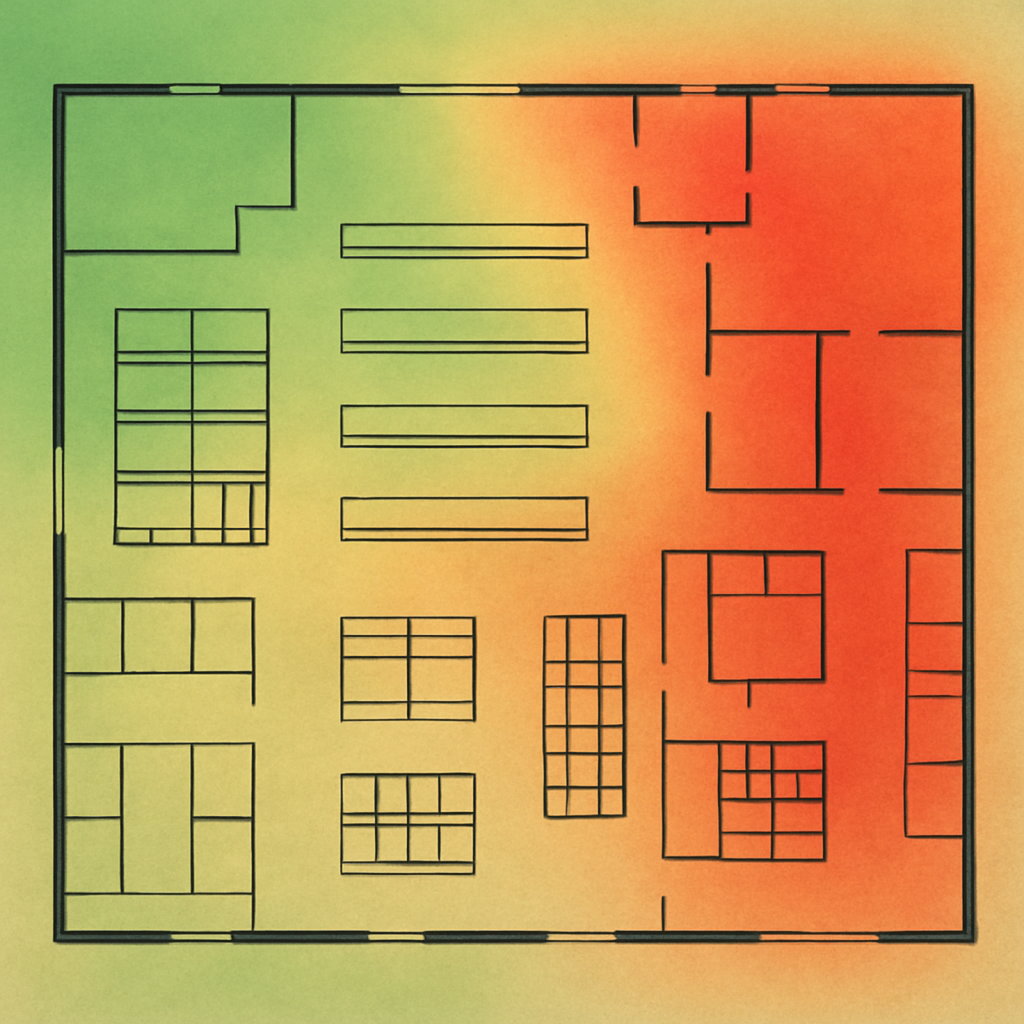
Guessing how many access points for large warehouse floor plans you need usually results in buying excessive hardware or creating frustrating dead zones. Before mounting a single device, professionals use a software simulation called predictive RF heat mapping. This tool takes your digital floor plan and highlights expected signal strength in bright green while marking weak spots in red, giving you a virtual preview of your coverage.
Computer simulations provide a great starting point, but they cannot feel the physical impact of your inventory. As wireless signals pass through pallets of dense goods, they lose strength—a weakening process called attenuation. Because software cannot perfectly predict how your specific stock absorbs signal, you must support the digital map with an industrial wireless site survey, where experts walk your actual aisles to measure the real-world environment.
A proper testing strategy guarantees your scanners never drop offline by following four critical steps:
- Virtual planning: Creating the initial software blueprint.
- Physical testing: Walking the floor to measure actual signal spread.
- Obstacle verification: Checking how real racks and inventory cause attenuation.
- Validation: Finalising the map to ensure seamless coverage.
This careful approach saves you thousands of dollars by preventing the costly mistake of over-provisioning equipment just to blast through shadows. Knowing exactly where the signal needs to reach dictates the hardware required.
Picking the Right Bulbs: Ruggedised Access Points and Directional Antennas
Standard office WiFi sprays signal everywhere, like a bare lightbulb. Mounting that equipment forty feet high means the “light” bounces off the roof instead of reaching your floor. To push the signal straight down, you need directional antennas for high-ceiling environments. These act like overhead spotlights, focusing the beam exactly into the aisles where your forklifts actually operate.
Placing those antennas in the rafters presents another problem: electricity. Standard power outlets live near the ground, making ceiling installations incredibly expensive if you must hire an electrician to run new conduit. Industrial systems solve this hurdle using a Power over Ethernet deployment. This technology (PoE) sends both your data connection and electrical power through one standard networking cable, completely eliminating the need for high-altitude electrical outlets.
Your hardware must also survive harsh daily conditions. Industrial dust and freezing temperatures will quickly destroy standard plastic routers. To prevent sudden failures, professionals install ruggedised access points for cold storage facilities and dirty manufacturing floors. These units use heavy-duty sealed covers—called NEMA enclosures—to block out ice and debris based on three hardware selection criteria:
- Temperature rating: Ensures survival in freezers or hot, un-air-conditioned spaces.
- IP enclosure rating: Measures exact dust and water protection levels.
- Antenna type: Matches your specific physical aisle layout.
Focused, protected equipment mounted overhead provides the foundation for smooth device mobility.
Handing Off the Baton: Optimising Seamless Roaming for Scanners and AGVs
You scan a pallet from a moving forklift, but the screen hangs on “loading” for three frustrating seconds. That delay—known as latency, or simply lag—happens when your equipment struggles to switch to the next antenna. Think of your warehouse network like a relay race: as you drive down the aisle, the system must execute seamless roaming for mobile inventory devices by swiftly handing off your connection. If that hand-off takes too long, the connection drops entirely, forcing workers into a tedious re-log process that destroys productivity.
Preventing these drops requires strategic layout planning. To maintain low-latency connectivity for automated guided vehicles moving at high speeds, your overhead coverage areas must physically intersect. A device needs to clearly “see” the next runner before letting go of the first. When optimising networks for handheld barcode scanners, engineers use a specific roaming checklist to guarantee these smooth transitions:
- Signal overlap levels: Designing intersecting coverage zones to eliminate dead space.
- Hand-off thresholds: Dictating exactly when a device should jump to a stronger antenna.
- Device settings: Tuning the physical scanners to proactively seek better connections.
Once roaming operates flawlessly across the warehouse floor, upgrading foundational technology can push efficiency even higher.
Wi-Fi 6 vs 6E: Choosing the Right Lane for Future Logistics
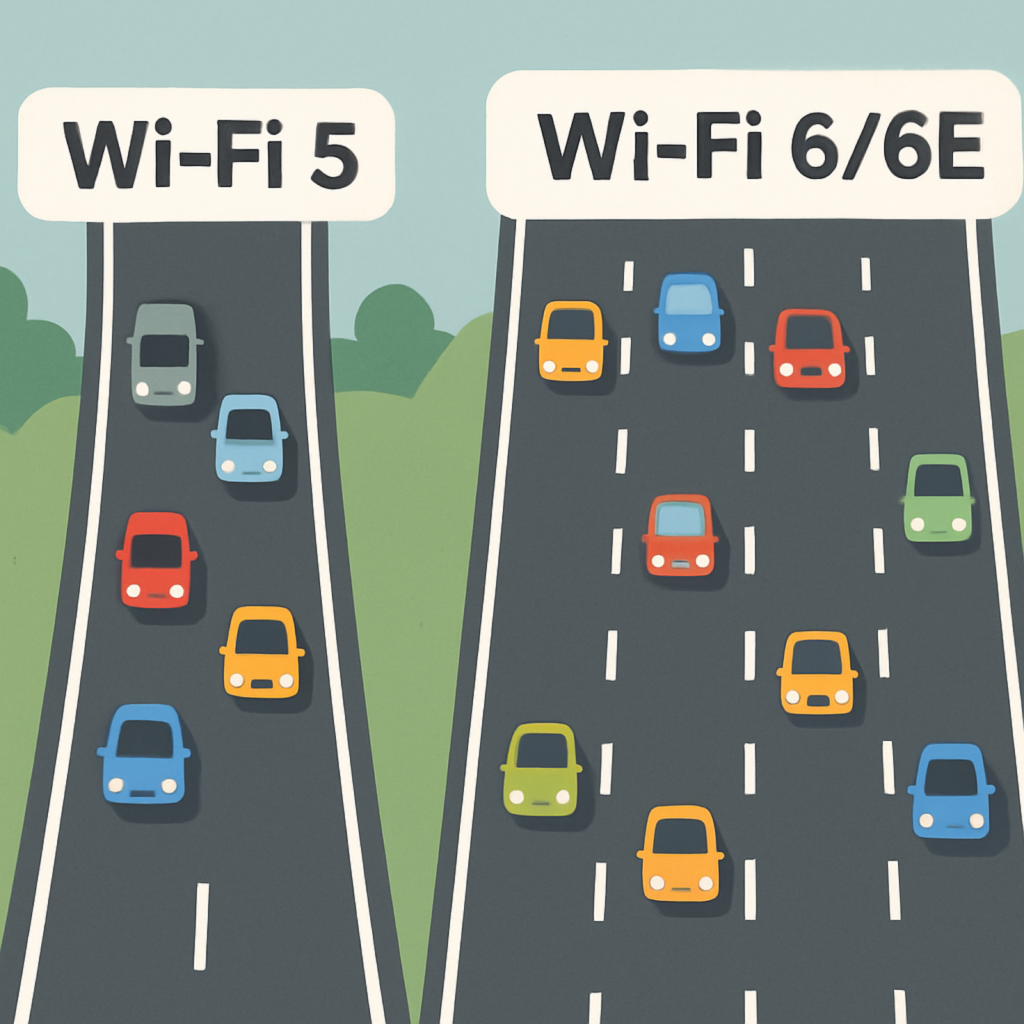
Every new automated vehicle or smart temperature monitor you add to your floor claims another slice of your network. When comparing Wi-Fi 6 vs Wi-Fi 6E for logistics, it helps to think of invisible radio signals as highways. Older networks force all your warehouse equipment into just two crowded lanes—the 2.4GHz and 5GHz frequency bands. This spectrum congestion causes invisible traffic jams, leaving your critical data sitting in gridlock while workers wait for screens to load.
Upgrading acts like building a massive bypass around that traffic. Standard Wi-Fi 6 organises your existing traffic much better, but Wi-Fi 6E actually opens an entirely new, exclusive fast lane: the 6GHz frequency band. This pristine, empty airspace is perfect for securing IoT sensors in supply chain operations without them competing against your core operational devices. By moving that background noise into its own lane, your barcode scanners and forklifts experience zero interference during peak rushes.
Making the right hardware choice today will effectively future-proof your facility for the next five to seven years. A standard upgrade serves as a reliable industrial WLAN performance optimisation guide to keep basic operations moving smoothly. However, if your building is swarming with hundreds of smart devices, that exclusive 6GHz fast lane becomes a mandatory investment. Applying this network logic directly to your floor requires a structured approach.
Your Warehouse Wi-Fi Checklist: 5 Steps to Professional Connectivity
You no longer have to accept frozen scanners and dropped connections as an unavoidable cost of doing business. By understanding how metal racking and inventory cast shadows over your signal, you can now manage warehouse WiFi as a measurable, bottom-line utility rather than an invisible mystery.
Create your “Monday Morning” action plan by conducting a basic walk-around of physical obstacles using The 5-Step Audit:
- Identify dead zones
- Check hardware ratings
- Validate roaming
- Secure IoT
- Plan for growth
Take the insights from this physical audit to confidently bridge the gap between daily operations needs and IT budget requests. When you clearly tie connectivity gaps to lost seconds-per-scan, building a roadmap for upgrading existing infrastructure with commercial WiFi solutions becomes a straightforward business decision rather than a technical debate.
Fixing dead zones in large distribution centres requires systematic evaluation of your physical space. You now understand your network’s environment well enough to stop fighting invisible barriers, select the right hardware, and empower your floor team with seamless connectivity.

Written by Mitchell Rutherford
Technical Director
Mitchell Rutherford is Technical Director at DTE, overseeing the design, installation, and supply of wireless solutions. With extensive expertise in wireless technologies and project delivery, Mitchell ensures that DTE’s wireless projects are executed efficiently, reliably, and to the highest technical standards.
Talk with a Warehouse Wi-Fi Specialist
Complete the form to discuss your needs with a specialist.
Alternatively, call +44 (0) 845 658 8810 or email [email protected].