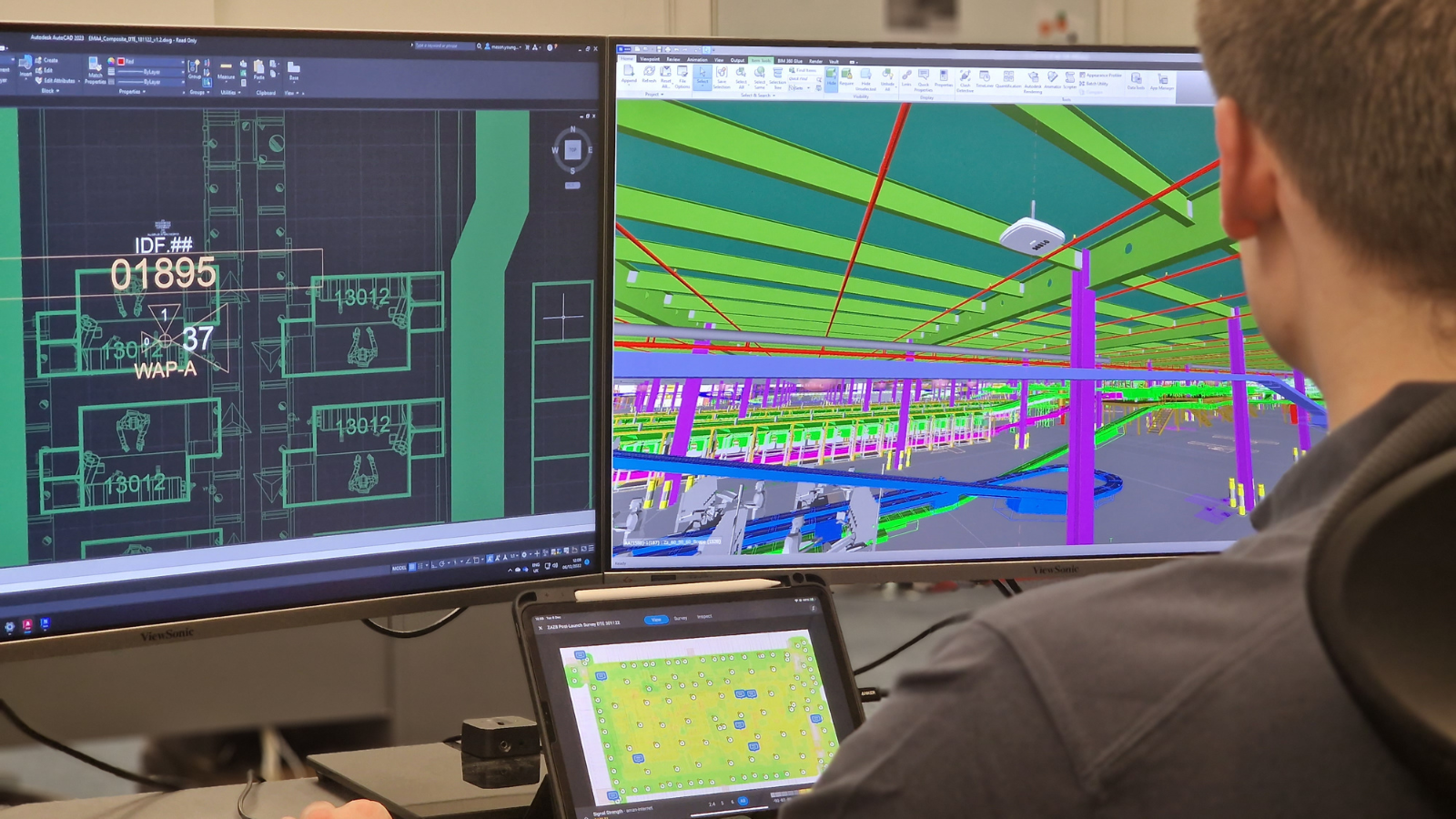
Wi-Fi planning is essential for creating a strong and reliable wireless network. It involves understanding the environment and potential obstacles that can affect signal strength, including:
- Effective Wi-Fi design: Requires careful consideration of various factors;
- The placement of access points and the choice of frequency bands.
- Conducting a Wi-Fi survey: Helps identify coverage gaps and sources of interference that can degrade network performance.
- Using a Wi-Fi planner tool: Allows you to visualise network coverage and performance, ensuring optimal results.
This blog will provide essential tips for effective Wi-Fi planning. It covers design, installation, and surveying to enhance your network’s performance.
Understanding the Basics of Wi-Fi Planning
Wi-Fi planning is not a one-size-fits-all process. It varies depending on the environment and specific user requirements. Understanding the basics is crucial for developing a tailored approach.
A successful Wi-Fi setup hinges on several key components. These include choosing the right hardware, understanding space layout, and anticipating user needs. Each plays a vital role in network performance.
Here are essential aspects to consider in Wi-Fi planning:
- User Needs: Dedetermine the number of users and devices.
- Environment: Assess indoor and outdoor coverage requirements.
- Obstacles: Identify physical barriers affecting signal strength.
Knowledge of these basics forms the foundation of an effective wireless network. It enables better decision-making concerning network design and setup.
Incorporating these fundamental concepts into your planning process ensures that the network meets both current and future needs. This preparedness is key to maintaining seamless connectivity.
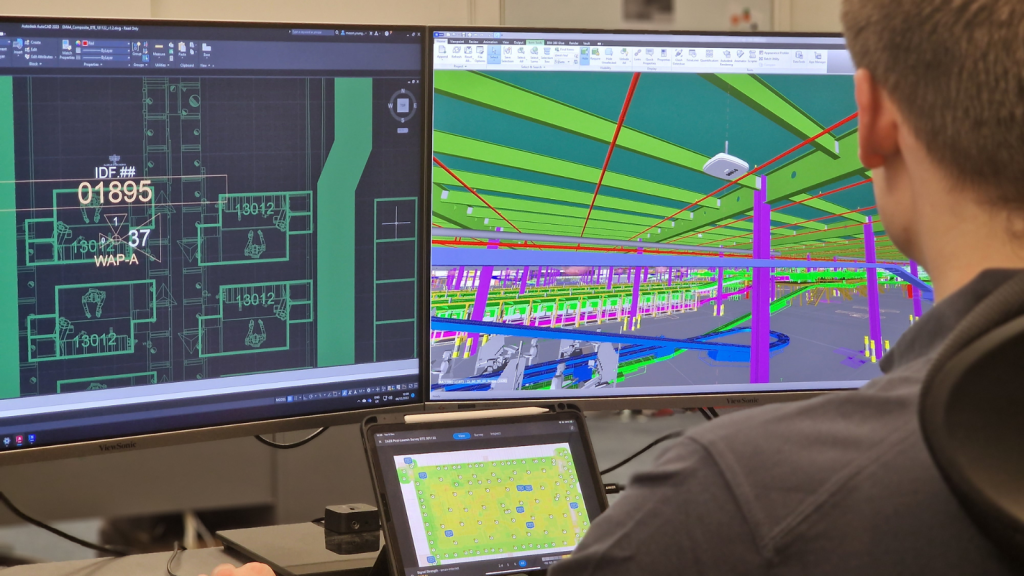
Understanding the Basics of Wi-Fi Planning
A thorough assessment of your environment sets the stage for effective Wi-Fi planning. Start by identifying the space where the network will be deployed. Different environments, such as office spaces and homes, present unique challenges.
Consider the materials and structure of the building. Materials like brick, concrete, and metal can obstruct signals. Knowing these obstacles will help you design a more efficient network layout.
It’s also important to evaluate user requirements. Understanding user density and device types is essential. This assists in tailoring the network to handle peak usage and device-specific needs.
When assessing your environment and requirements, focus on:
- Space Layout: Analyse the physical dimensions and materials.
- User Density: Estimate the number of users and devices.
- Network Usage: Identify peak usage times and data demands.
This assessment allows for a targeted approach to Wi-Fi planning. It lays the groundwork for optimal performance by aligning design with environmental conditions and user needs.
Assessing Your Environment and Requirements
A thorough assessment of your environment sets the stage for effective Wi-Fi planning. Start by identifying the space where the network will be deployed. Different environments, such as office spaces and homes, present unique challenges.
Consider the materials and structure of the building. Materials like brick, concrete, and metal can obstruct signals. Knowing these obstacles will help you design a more efficient network layout.
It’s also important to evaluate user requirements. Understanding user density and device types is essential. This assists in tailoring the network to handle peak usage and device-specific needs.
When assessing your environment and requirements, focus on:
- Space Layout: Analyse the physical dimensions and materials.
- User Density: Estimate the number of users and devices.
- Network Usage: Identify peak usage times and data demands.
This assessment allows for a targeted approach to Wi-Fi planning. It lays the groundwork for optimal performance by aligning design with environmental conditions and user needs.

Wi-Fi Design Principles for Optimal Coverage
Designing a Wi-Fi network for optimal coverage requires strategic planning. Effective Wi-Fi design involves understanding both coverage areas and potential dead zones. This ensures a seamless wireless experience.
Start by mapping out areas with high foot traffic. These zones need robust signal coverage. Consider how walls and furniture might block signals and plan accordingly.
Frequency band selection plays a pivotal role. Choose between 2.4 GHz for range or 5 GHz for speed. This choice impacts your network’s performance significantly.
Mesh networks are an excellent option for large spaces. They provide consistent coverage by distributing the signal across multiple access points. This design avoids single-point failures.
Key principles to incorporate in your Wi-Fi design include:
- Coverage Mapping: Identify and prioritise key areas for coverage.
- Frequency Selection: Decide between 2.4 GHz and 5 GHz bands.
- Mesh Networking: Use mesh setups for extended coverage in large areas.
- Access Point Placement: Strategically position access points to avoid obstructions.
For more complex environments, a dedicated wireless network design approach can help you plan capacity, roaming, and access point placement more effectively.
With these principles, your Wi-Fi network can deliver consistent performance and coverage. Tailor your design to meet specific environmental and user needs to enhance connectivity.
Conducting a Wi-Fi Survey: Tools and Techniques
A Wi-Fi survey is essential for identifying weak spots and interference sources. This process provides a clear picture of your network’s performance. Armed with this information, you can make informed improvements.
If you need a more detailed assessment, a professional site survey can validate coverage, capacity, and interference before you commit to changes.
Wi-Fi survey tools are indispensable for this task. They help visualise signal strength and coverage. These tools come in various forms, including software applications and specialised equipment.
Choose the right tool based on your specific needs. Some offer advanced features like heatmapping and detailed analytics. Others focus on basic signal strength measurements.
When conducting a survey, follow these steps:
- Select a Tool: Use tools like Ekahau or NetSpot for comprehensive analysis.
- Measure Signal: Map out coverage areas and identify weak spots.
- Analyse Interference: Detect sources of interference from other devices or networks.
- Document Findings: Keep detailed records for future reference and updates.

Strategic Wi-Fi Installation: Placement & Setup
Proper Wi-Fi installation begins with strategic access point placement. This step directly impacts network performance and reliability. Placing access points thoughtfully can minimise dead zones and ensure robust coverage.
For support with deployment, installation and configuration services can help ensure access points are positioned, configured, and tested correctly.
Several factors influence the placement of access points. Consider the layout and type of environment you’re working with. Walls, floors, and furniture can obstruct signal paths, reducing efficiency.
When setting up, aim to cover key areas evenly. This ensures seamless connectivity across the entire space. Different settings, like offices or homes, need tailored approaches.
Here’s a checklist for effective WiFi installation:
- Map the Space: Identify areas needing strong signal strength.
- Avoid Obstructions: Position access points away from large metal objects and thick walls.
- Optimise Height: Mount access points at a medium height for optimal coverage.
- Configure Channels: Avoid channel overlap to reduce interference.
Correct setup doesn’t just enhance performance; it contributes to a stable and scalable network. Adjust your configurations based on real-time tests. This fine-tuning helps maintain a high-quality Wi-Fi environment.
Managing Interference & Bandwidth
Interference can seriously affect Wi-Fi performance. Electronic devices, microwave ovens, and Bluetooth gadgets may cause disruptions. Identifying and minimising interference sources is crucial for maintaining a strong signal.
Managing bandwidth efficiently is equally important. High data traffic can strain the network, especially in environments with multiple users and devices.
Implementing bandwidth management strategies helps ensure reliable access.
To optimise both interference and bandwidth, consider these actions:
- Use Dual-Band Routers: Separate 2.4 GHz and 5 GHz bands to reduce congestion.
- Channel Optimisation: Select non-overlapping channels to minimise interference.
- Limit Bandwidth Use: Prioritise critical applications and limit bandwidth for non-essential ones.
Optimising interference and bandwidth leads to better network performance. Consistent monitoring and adjustments keep the Wi-Fi environment adaptable to changing demands. This ensures users enjoy seamless connectivity throughout their experience.

Leveraging Wi-Fi Planner Tools & Heatmaps
Utilising Wi-Fi planner tools can greatly enhance your network setup. These tools help visualise coverage, identifying potential weak spots before they cause issues. They are essential for strategic planning and optimisation.
Heatmaps provide a graphic representation of signal strength across different areas. This visual aid helps pinpoint zones with poor coverage or interference. With this data, adjustments to access point placement can be easily made.
To maximise the benefits of planner tools and heatmaps, consider these tips:
- Regular Assessments: Conduct frequent reviews to adapt to changes in the environment.
- Visual Analysis: Use heatmaps to guide strategic placement and adjustments.
- Incorporate User Feedback: Understand user experience to fine-tune network settings.
The use of heatmaps and planner tools transforms raw data into actionable insights. This ensures that your Wi-Fi network remains efficient, meeting users’ connectivity needs with precision and reliability.
Security & Future-Proofing Your Wireless Network
Security is a critical aspect of Wi-Fi planning. A secure network protects against unauthorised access and potential data breaches. Incorporate security measures from the outset to safeguard sensitive information.
Future-proofing your network involves planning for growth and new technologies. As connectivity demands increase, your network should adapt seamlessly. Consider future expansion and integration with emerging technologies in your planning process.
Here are some key practices for securing and future-proofing your Wi-Fi network:
- Regular Updates: Keep firmware up to date for enhanced security.
- Network Segmentation: Use VLANs to separate sensitive data from guest access.
- Scalability Plans: Design with growth in mind to support future devices.
By addressing security and planning for the future, your network can remain resilient and efficient. Such foresight ensures robust performance in an ever-evolving technological landscape.

Ongoing Maintenance & Performance Optimisation
Regular maintenance is key to keeping your Wi-Fi network at peak performance. Regular checks can identify potential issues before they affect users. Staying proactive ensures a smooth and reliable connection for everyone.
Performance optimisation requires ongoing attention. Technology evolves, and so do user needs. Adapting your network to these changes can prevent slowdowns and improve user experience.
Here are some maintenance and optimisation tips:
- Routine Assessments: Schedule regular checks of network performance.
- User Feedback: Gather input from users to identify issues.
- Update Systems: Frequently update hardware and software for better security and function.
By investing time in regular maintenance, your network can consistently meet demands. These efforts help provide a steady and efficient wireless experience.
Conclusion: Key Takeaways for Effective Wi-Fi Planning
Effective Wi-Fi planning is essential for a reliable and fast wireless network. Key factors include careful design, strategic installation, and ongoing maintenance. These components work together to provide consistent performance.
Understanding your environment and user needs is critical. Tailoring your network to these specifics ensures optimal coverage and minimal interference. Regular network assessments and updates enhance performance over time.
Here are the main takeaways:
- Assess Needs: Evaluate your space and user requirements thoroughly.
- Strategic Design: Implement design principles for maximal coverage.
- Ongoing Maintenance: Regularly evaluate and optimise your network.
Applying these principles can significantly improve your network’s reliability and efficiency. By staying proactive, you’ll meet current demands whilst preparing for future growth.

Need help with your Wi-Fi? Get in touch!
Please get in touch to discuss your requirements.