
A warehouse can have the latest barcode scanners, Warehouse Management System (WMS) and modern wireless access points, yet still suffer from unreliable WiFi.
Scanners disconnect halfway through a pick. Forklift terminals lose connectivity. Staff know exactly which aisle has poor signal. Teams spend time troubleshooting individual devices, even though the real issue lies with the wireless network itself.
The reason is simple.
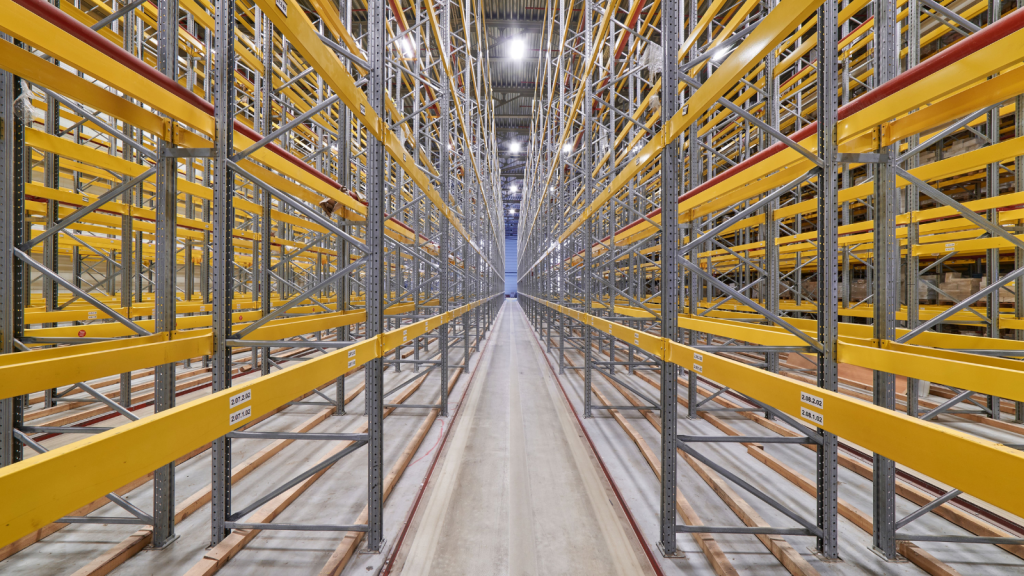
High-racking warehouses create one of the most challenging radio frequency (RF) environments for wireless networking.
Unlike offices, warehouses are filled with steel racking, constantly moving stock, high ceilings and changing layouts, all of which affect how Wi-Fi signals travel throughout the building.
The warehouse Wi-Fi challenge is the same: delivering reliable wireless coverage, seamless roaming and consistent performance across every operational area.
In this blog, we’ll explain why warehouse WiFi often struggles in high-racking environments and how businesses can improve wireless reliability through better design, professional WiFi surveys and ongoing optimisation.
Steel racking changes the way Wi-Fi signals travel
Metal is one of the biggest challenges for warehouse wireless networks.
Unlike plasterboard walls in an office, steel racking reflects, absorbs and redirects RF signals, making wireless coverage far less predictable.
High-density racking can:
🔹 Reflect wireless signals
🔹 Block line-of-sight coverage
🔹 Create RF shadowing
🔹 Increase signal reflections
🔹 Produce inconsistent coverage between aisles
The challenge becomes even greater as stock levels change.
A warehouse that performs well after installation may behave very differently once every rack is full of products.
Different materials also affect wireless signals differently.
For example:
🔹 Liquids absorb RF signals.
🔹 Metal products create reflections.
🔹 Dense packaging weakens coverage.
🔹 Palletised stock alters signal paths.
This is why warehouse wireless networks should always be designed around the operational environment, not simply the building dimensions.
Long warehouse aisles create coverage challenges
Office WiFi is typically designed around open spaces and relatively predictable layouts.
Warehouses are very different.
Long, narrow aisles can cause wireless signals to travel in unexpected ways, often overshooting operational areas or weakening before reaching the end of an aisle.
Poor wireless design frequently results in:
🔹 Weak signal at aisle ends
🔹 Coverage gaps between racking
🔹 Inconsistent scanner performance
🔹 Dead zones around loading bays
🔹 Reduced roaming performance
Simply installing more access points rarely solves these problems.
Without careful RF planning, additional hardware can increase interference and reduce overall wireless performance.
A professionally designed warehouse Wi-Fi solution considers aisle orientation, antenna selection and access point placement to deliver reliable coverage where it’s needed most.

Warehouse stock is constantly changing
Unlike an office, a warehouse is never static.
Every day:
🔹 Pallets are moved.
🔹 Stock levels increase and decrease.
🔹 Forklifts travel between aisles.
🔹 New storage areas are introduced.
🔹 Operational layouts evolve.
Every one of these changes affects how wireless signals propagate.
This explains why some warehouses only experience wireless problems during busy periods or after operational changes.
If your warehouse has expanded or changed significantly since the network was installed, it may be time for a new WiFi survey to validate that your wireless infrastructure still meets operational requirements.

Roaming problems become more common
Warehouse employees rarely remain in one place.
Barcode scanners, rugged handhelds, vehicle-mounted terminals and voice-picking devices constantly roam between wireless access points.
If the network isn’t designed for seamless roaming, devices may:
🔹 Disconnect while moving
🔹 Hold onto weak signals
🔹 Reconnect slowly
🔹 Buffer transactions
🔹 Delay inventory updates
These issues are often blamed on the devices themselves.
In reality, poor roaming is usually caused by:
🔹 Incorrect access point placement
🔹 Inconsistent signal overlap
🔹 RF interference
🔹 Poor wireless design
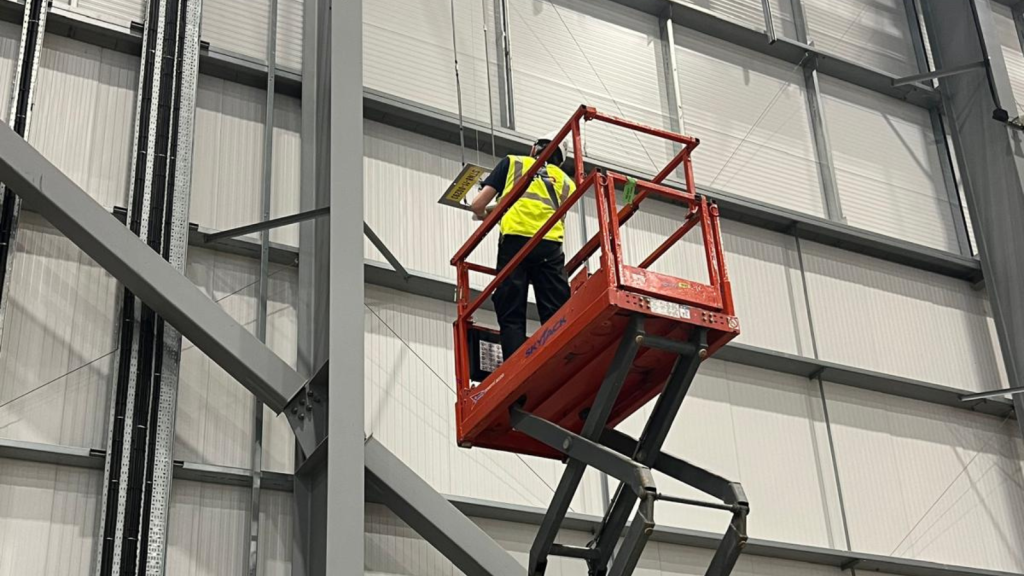
A professional WiFi network survey analyses roaming behaviour throughout the warehouse, helping engineers optimise wireless performance for continuous mobility.
Wireless interference increases as warehouses grow
As warehouses become more connected, wireless interference naturally increases.
Common sources include:
🔹 Adjacent access points
🔹 Bluetooth devices
🔹 Industrial machinery
🔹 Wireless headsets
🔹 Poor channel planning
🔹 Neighbouring wireless networks
Combined with reflective steel racking, these sources can increase:
🔹 Co-channel interference
🔹 Adjacent channel interference
🔹 Wireless congestion
🔹 Roaming instability
Many of these issues aren’t visible through standard network monitoring tools.
A professional wireless survey uses RF analysis and heat mapping to identify interference before it begins affecting warehouse productivity.

Access point placement makes all the difference
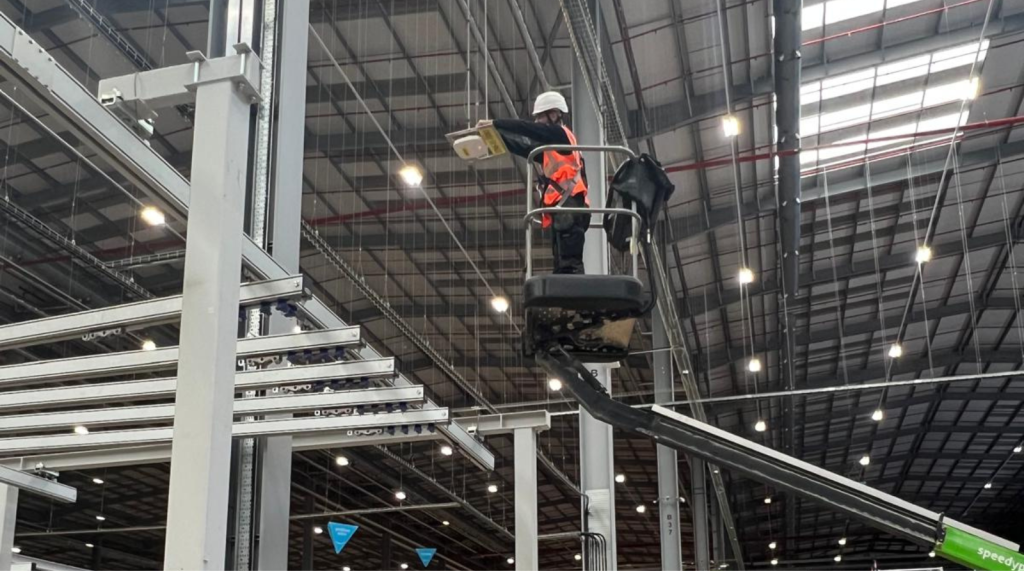
One of the most common issues we see is incorrectly positioned wireless access points.
Many warehouse networks were originally installed using office WiFi design principles.
Unfortunately, warehouses require a completely different approach.
Engineers must consider:
🔹 Ceiling height
🔹 Racking orientation
🔹 Antenna type
🔹 Mounting location
🔹 Coverage overlap
🔹 Future warehouse expansion
Poorly positioned access points often create:
🔹 Coverage holes
🔹 Excessive overlap
🔹 Weak roaming
🔹 Reduced wireless capacity
Rather than simply increasing the number of access points, professional wireless design focuses on positioning each AP to deliver consistent operational performance.
Older warehouse WiFi struggles with modern operations
Warehouse operations have changed dramatically over the last decade.
Today’s wireless infrastructure often supports:
🔹 Barcode scanners
🔹 Warehouse Management Systems
🔹 Voice picking
🔹 Tablets
🔹 Mobile printers
🔹 RFID
🔹 IoT devices
🔹 Autonomous Mobile Robots (AMRs)
Older wireless networks weren’t designed for this level of connectivity.
As more devices are added, businesses often experience:
🔹 Slower wireless performance
🔹 Increased latency
🔹 Scanner disconnects
🔹 Poor roaming
🔹 Capacity bottlenecks
Modern technologies such as Wi-Fi 6 and Wi-Fi 6E provide significant improvements in capacity, latency and device handling, but only when the underlying wireless design is fit for purpose.

Why professional RF planning matters
Warehouse wireless isn’t simply a larger version of office WiFi.
It requires specialist planning that considers:
🔹 RF propagation
🔹 Directional coverage
🔹 High-density mobility
🔹 Warehouse workflows
🔹 Environmental changes
🔹 Capacity planning
🔹 Future automation
Without accurate RF data, businesses often spend money replacing hardware when the real issue is wireless design.
A professional WiFi survey provides detailed heat maps, RF analysis and practical recommendations that identify:
🔹 Coverage gaps
🔹 Roaming issues
🔹 Interference
🔹 Capacity limitations
🔹 Access point placement weaknesses
This allows informed decisions based on evidence rather than assumptions.

Improve warehouse WiFi performance with DTE
Reliable warehouse WiFi is no longer just an IT requirement, it’s fundamental to operational productivity.
At DTE, we help businesses design, survey, install and optimise warehouse wireless networks that support scanners, Warehouse Management Systems, automation, voice picking and future growth.
Whether you’re investigating scanner disconnects, dead zones, poor roaming or planning a new warehouse deployment, our engineers can assess your wireless environment and recommend the most effective solution.
Explore our:
🔹 Warehouse Wi-Fi solutions
🔹 WiFi Survey services
🔹 WiFi Network Design
🔹 Wi-Fi Installation
🔹 WiFi Managed Services
🔹 Wi-Fi for Automation
Speak to our wireless specialists to discover how a professionally designed warehouse WiFi network can improve reliability, increase productivity and support your warehouse for years to come.
Speak to a Specialist
Provide your details below, email [email protected] or call +44 (0) 845 658 8810.